
Partner Authentication Guide: Universal Tokens (UT) and Universal App Tokens (UAT) Overview
In the new Bizgate authentication model, the authentication flow is completely unified:
Client Secret➔ Generates Universal Token (UT) (Valid for all bizgate APIs).
Authentication Concepts & Definitions
Client Secret
A Client Secret is used as part of partner authentication and integration workflows. It is generated individually by any partner admin (out of 3) and must be stored securely.
A client secret can be generated by a regular user but it will not be useful for generating UT.
- Validity: Newly generated client secrets have a maximum validity of 3 months.
- Expiry Reminders: sent on email
Universal Tokens (UT)
Universal Tokens (UT) provide a unified, secure, and simplified authentication mechanism for partner-linked applications. By adopting Universal Tokens, you eliminate security risks and streamlining integration management.
NOTE : It does not work apps not linked to your partner ID.
Key Characteristics
- Unified Access: Works seamlessly across all apps linked to a partner. Validates requests for all Bizgate API endpoints.
- Admin-Controlled: Only administrators can generate or revoke UTs via the UI. Automated email alerts are triggered to notify admins of any generation or revocation activities.
- Token Limits: A maximum of 3 active Universal Tokens per admin per partner are allowed at any one time. A partner can have up to 3 administrators (2 admins and 1 owner), allowing a total of 9 active Universal Tokens per partner at any one time.
- Flexible Expiry: Configurable validity between a minimum of 24 hours and a maximum of 60 days. Partners are responsible for rotating tokens prior to expiration.
- Non-Disruptive Migration: Any other legacy mechanisms for authentication are automatically disabled for Bizgate users, to minimize security exposure without breaking active operations.
Steps to Generate a Universal Token
Prerequisites
- [REQUIRED] Your user account must have Admin access on the Gupshup Partner Portal
Generation Workflow
The generation and consumption of a Universal Token is completely non-disruptive to active live operations.
Through the Partner Portal UI
- Navigate to the Settings section in the Partner Portal.
- Open the Universal Token Management section.
- Click on Generate Universal Token.
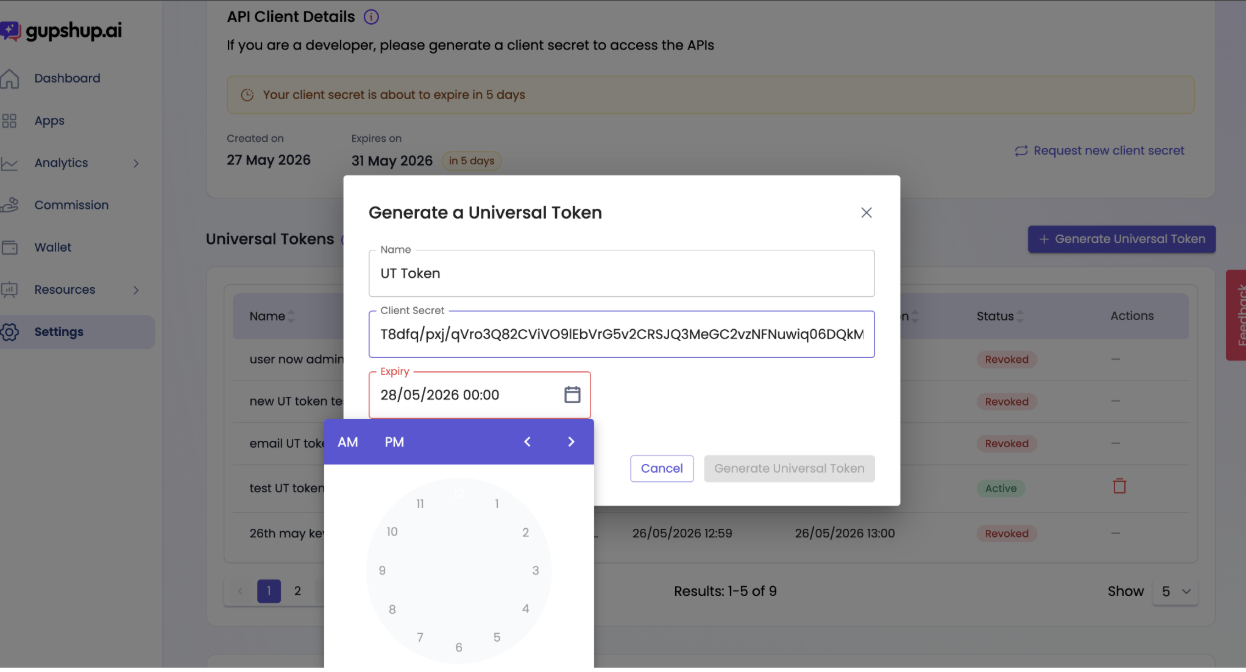
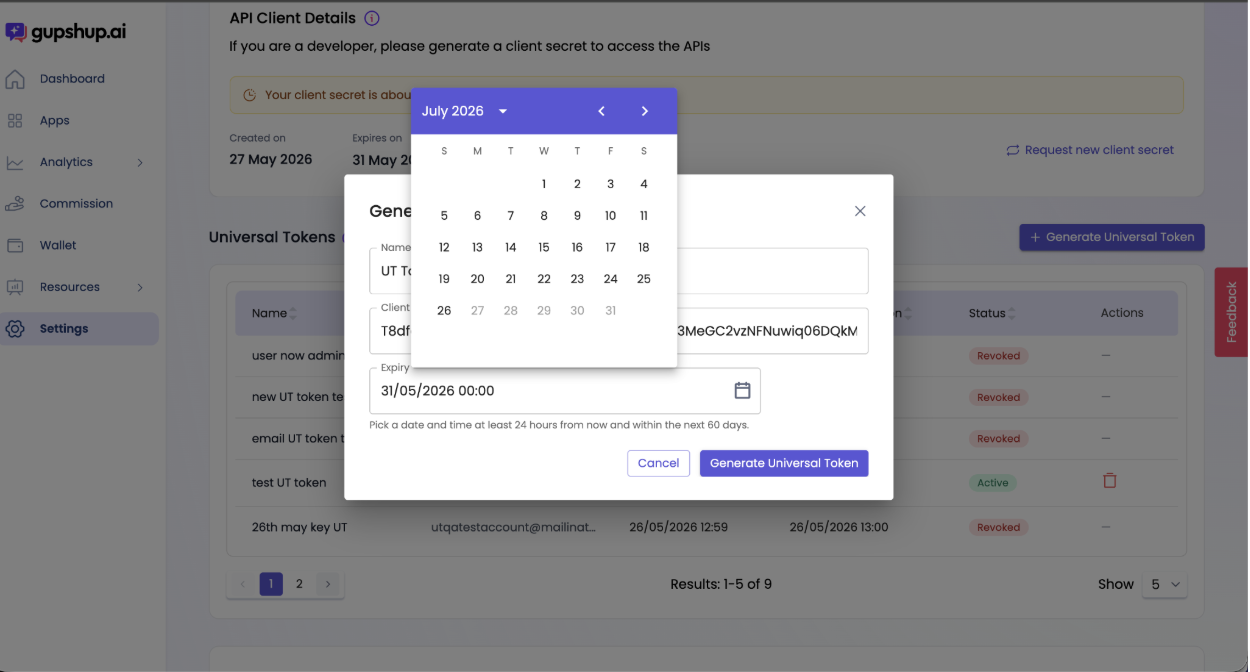
- Configure your preferred token expiry duration (between 24 hours and 60 days).
- Confirm token generation.
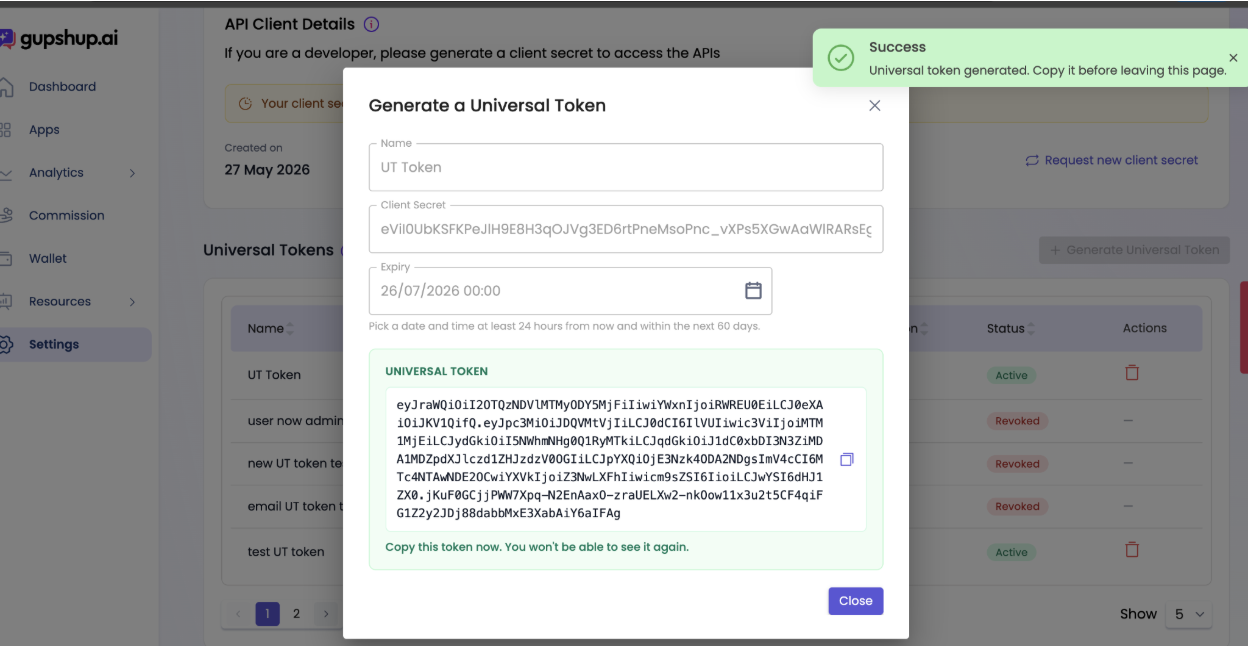
- Copy and securely store the generated token immediately.
Through APIs
OVERVIEW - Bizgate Token APIs
GENERATE - Create a universal token (UT)
LIST - List universal tokens (UT)
REVOKE - Revoke a universal token (UT)
Critical Security NoteUniversal Tokens are displayed only once during generation and will not be accessible via the UI later. These tokens are meant exclusively for partner-side integrations and must never be shared with customers or exposed in client-side code.
UI Walkthrough
- Locate the Universal Token panel in your account configuration:
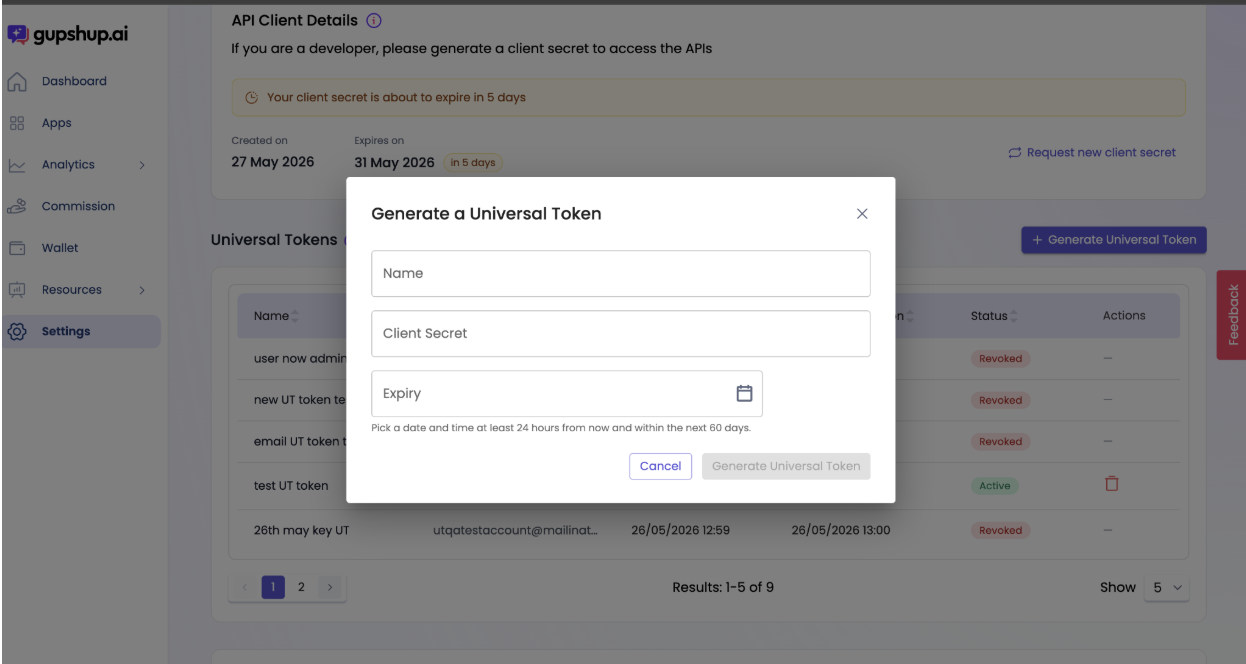
Best Practice: Naming TokensName your Universal Tokens based on their environment or operational purpose (e.g.,
QA-Environment,Staging-Token,Prod-Sync). We recommend utilizing shorter expiry durations for non-production or temporary testing use cases.
-
Set the token name and expiry window:
-
View and safely copy the token:
-
Revoke a token instantly if it is compromised or no longer needed:
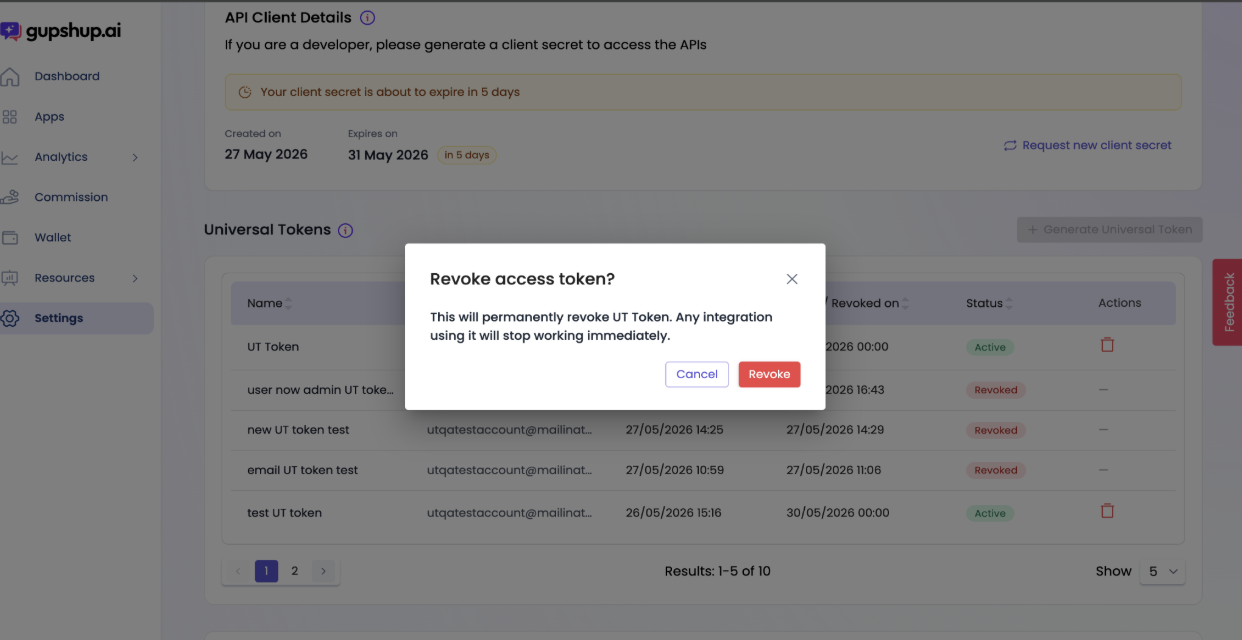
-
Confirm access revocation:
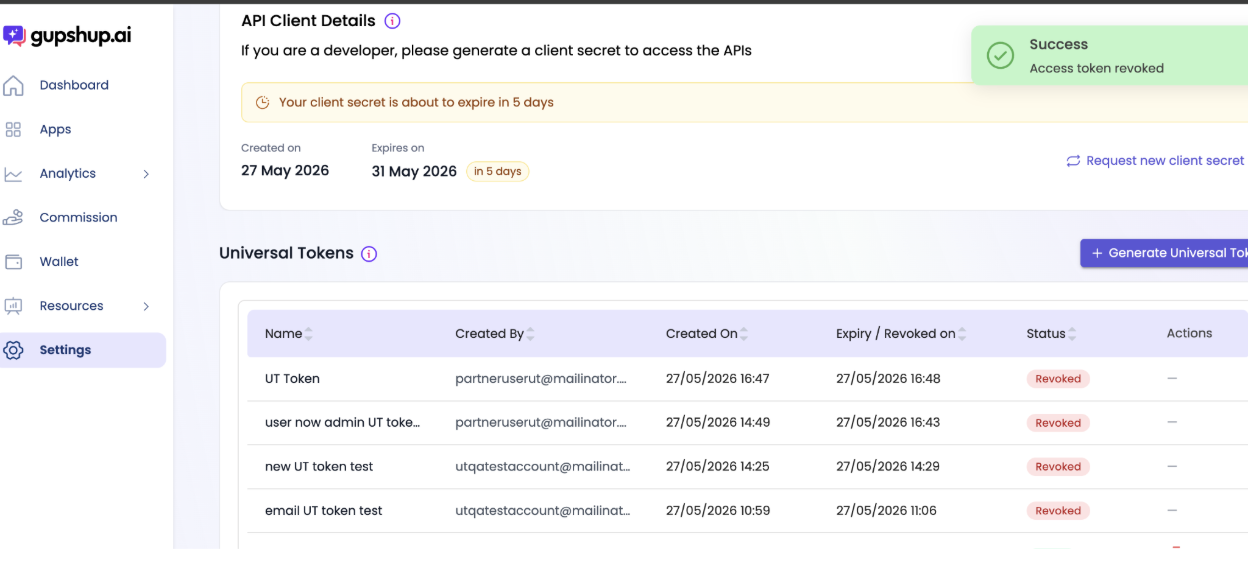
Automated System Notifications
Whenever a token action occurs, administrators will receive automated confirmation emails:
-
Creation Alert:
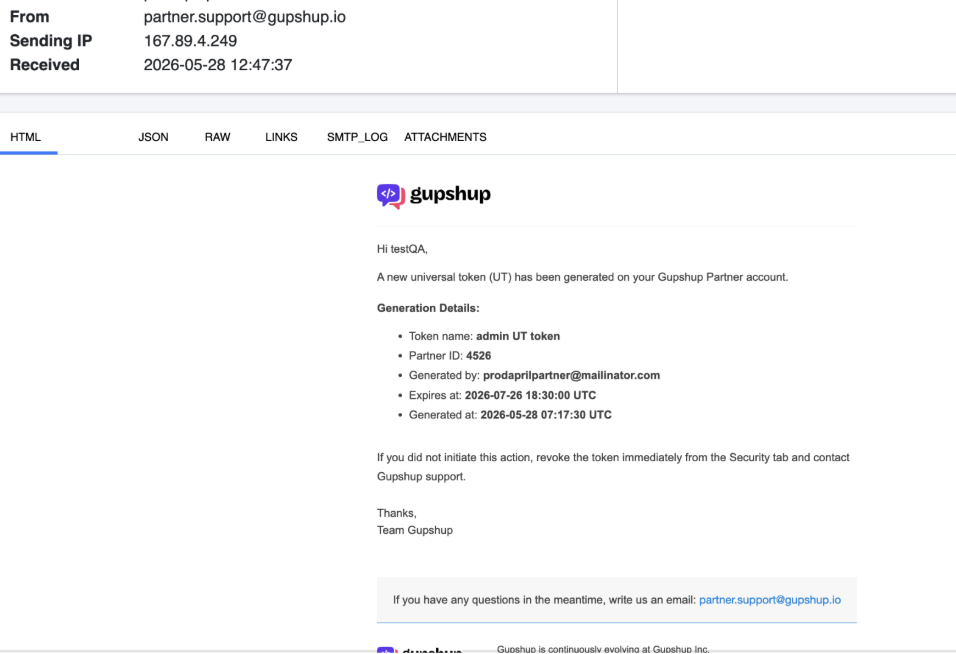
-
Revocation Alert:
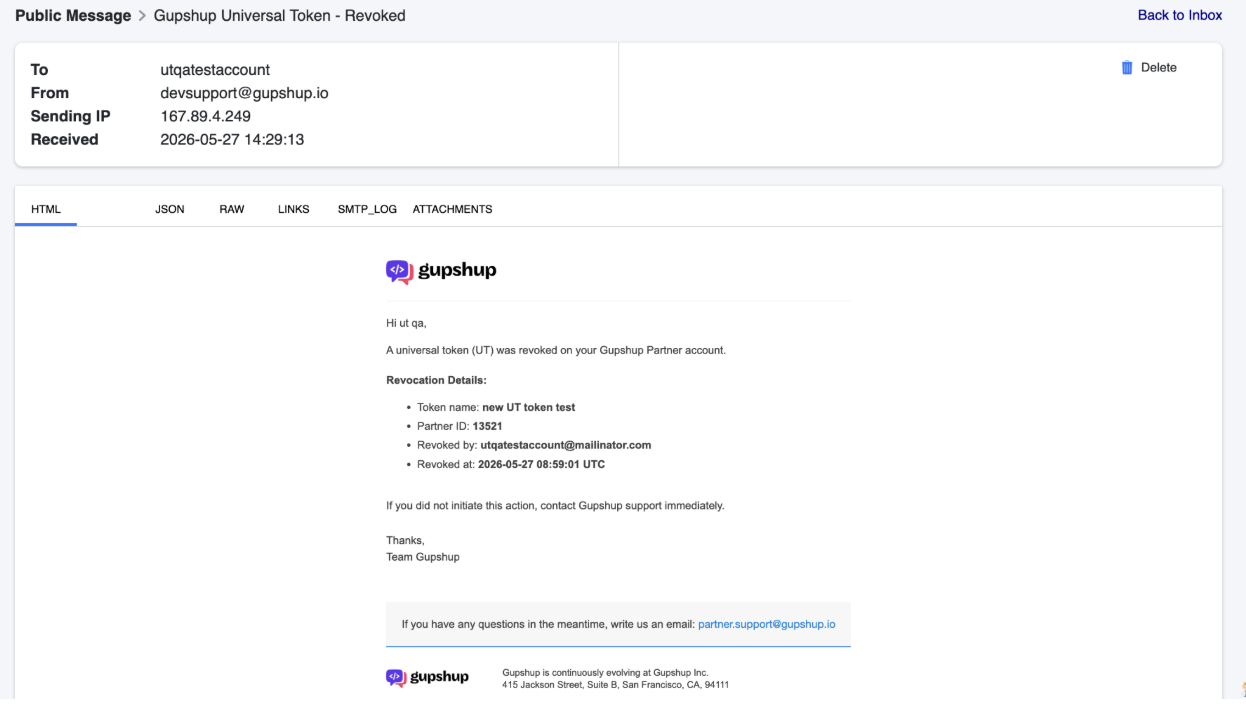
Universal App Tokens
[Recommended to adopt immediately along with universal token]
A Universal App Token (UAT) is an app-scoped access token that is generated using a Universal Token (UT). While a Universal Token provides partner-level access, a Universal App Token is limited to a specific application, enabling secure access to app-level APIs such as template management, messaging, business profile updates, and other app operations.
Why use Universal App Tokens?
- App-level security: Restricts access to a single app instead of the entire partner account.
- Short-lived credentials: Can be generated with a controlled expiry, making them ideal for temporary access.
- Admin-Controlled: Only administrators can generate or revoke UATs via APIs.
- Improved security posture: Reduces the risk of long-lived credentials being shared or exposed.
- Ideal for support teams: Partners can use a Universal App Token to dynamically generate short-lived app-level support tokens for their support or operations teams, ensuring they receive only the minimum access required for a limited duration. This eliminates the need to distribute permanent credentials while maintaining secure access to app-specific operations.
Recommended approach:
Use a Universal Token as the primary credential, and generate short-lived Universal App Tokens. Through the same - on demand generate your own token system for internal tools, support engineers, or automated systems.
Get started with UAT APIs
OVERVIEW - Bizgate Token APIs
GENERATE - Create an app token (UAT)
LIST - List app tokens (UAT)
REVOKE SINGLE - Revoke an app token (UAT)
REVOKE BULK - Revoke all app tokens (UAT) of this app
What happens to existing UT/UAT when admin is changed?
When an admin is removed/changed, the admin's existing UT / UATs will continue to run, unless specifically chosen by the owner
About Gupshup's Old Partner Authentication Approach
Today, partners use multiple credential types depending on the integration model, APIs, and operational use case.
The Legacy Workflow
Previously, a partner had to manage split authentication flows:
- Flow A:
Client Secret➔ GeneratesPartner Token➔ GeneratesPartner App Token(Valid only for partner APIs). - Flow B: Generate
App API Keyand/orAccount-level API Key(Valid only forapi.gupshup.ioAPIs).
1.2 Partner Token (Legacy)
Used to generate/retrieve a Partner App Token or to fetch all partner apps within onboarding APIs.
- Generation: Created using a user's Client Secret not created any longer than 90 days earlier
- Deprecation Notice: The legacy method of creating a partner token using just the partner portal password is now deprecated.
- TTL / Expiry: 24 hours.
1.3 Partner App Token (PAT) (Legacy)
Used for partner-level API authentication specifically for the https://partner.gupshup.io/ endpoint.
- Constraints: Only one PAT can exist at any given time.
- Generation: Can be generated by both admin and non-admin users via the partner portal UI or API.
- TTL / Expiry: Long-lived.
- Scope: Works at the app level for all apps linked to the partner.
1.4 Account API Key (Legacy)
Provides authentication at the Gupshup account level (including app level) and is commonly used across https://api.gupshup.io/ endpoints.
- Scope: Not restricted to a single app; has global scope for a given Customer ID. Used to authenticate any apps present in a given Customer ID, whether linked to a partner or not.
- TTL / Expiry: Long-lived.
- Availability Note: No longer exposed or passed on to new Customer IDs since March 2026.
1.5 App API Key (Legacy)
Generated at the application level and scoped to a specific app. Commonly used across https://api.gupshup.io/ endpoints.
- Constraints: A maximum of 2 active app-level API keys per app can exist concurrently.
- Scope: Strictly restricted to a single app (authenticates the app whether it is linked to a partner or not).
- TTL / Expiry: Long-lived.
Updated about 4 hours ago